 EN
EN

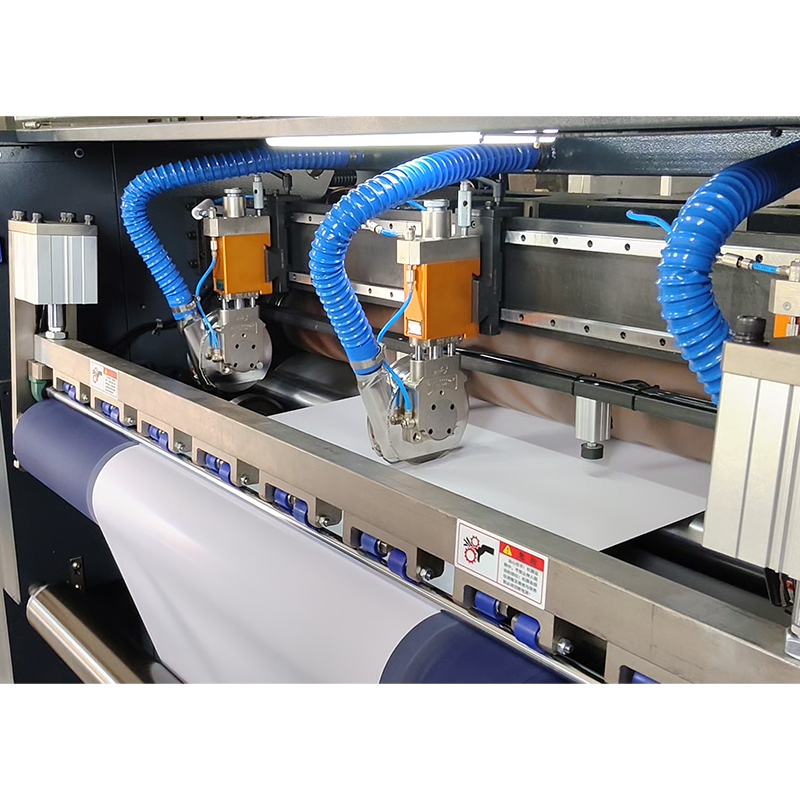
Integrating a paper cutter machine into an automated production line is one of the most impactful decisions a manufacturing facility can make. A well-positioned paper cutter machine eliminates manual handling between workflow stages, reduces waste, and ensures consistent sheet output at every cycle. Whether you are setting up a new line or upgrading an existing one, understanding exactly how a paper cutter machine fits into the overall process is essential before installation begins.
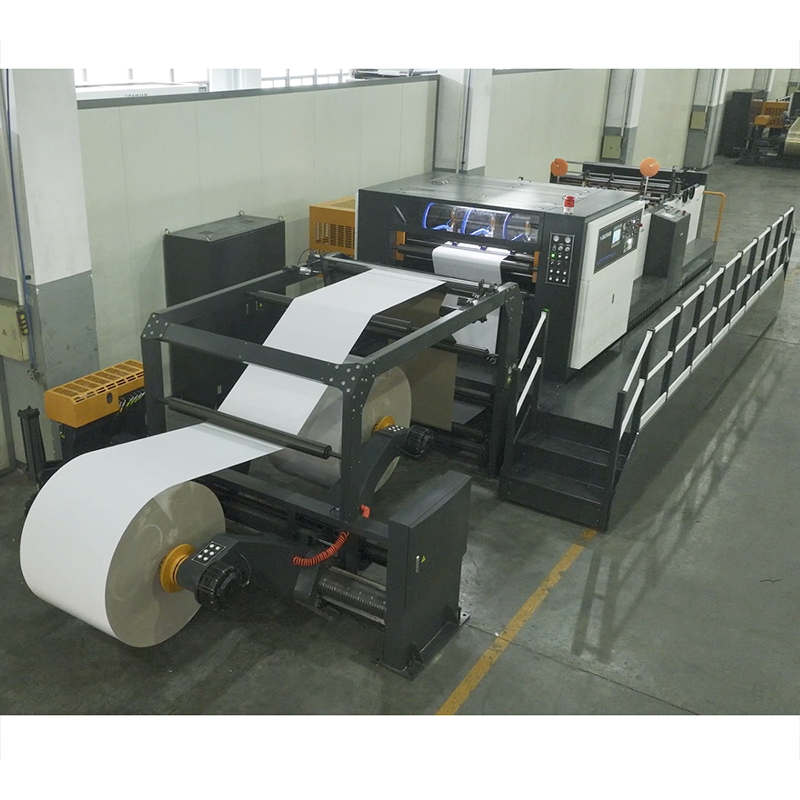
The process of integrating a paper cutter machine requires careful planning across mechanical, electrical, and software dimensions. A paper cutter machine must not only match the speed of upstream and downstream equipment but also communicate reliably with the overall line control system. This guide walks through the key stages of integration so your paper cutter machine operates as a seamless part of your automated workflow rather than an isolated standalone unit.
Assessing Your Production Line Before Installation
Mapping the Workflow Around the Paper Cutter Machine
Before placing a paper cutter machine on the floor, you must map the full material flow of your production line. Identify where raw paper enters the system, where the paper cutter machine will perform its cutting function, and where cut sheets will move next. A paper cutter machine positioned incorrectly in the sequence can create bottlenecks that offset all the speed gains automation provides. Document the feed direction, stack height, and sheet size requirements so the paper cutter machine specification matches actual production demands.
Every paper cutter machine has rated cutting speeds and maximum sheet dimensions. Compare these parameters against your actual throughput targets. If the paper cutter machine cannot keep pace with the upstream feeder, cut sheets will accumulate and cause downstream delays. Choose a paper cutter machine whose capacity exceeds your current peak output by at least fifteen percent to accommodate future scaling.
Space and Mechanical Alignment for the Paper Cutter Machine
Physical space planning is a critical step when integrating a paper cutter machine. The paper cutter machine requires adequate clearance on both the infeed and outfeed sides to allow material handling equipment and operators to move safely. Measure the footprint of the paper cutter machine against your floor plan, including the area needed for conveyor belts or roller tables that connect it to adjacent machines. Leveling and anchoring the paper cutter machine properly prevents vibration-related misalignment, which directly affects cut accuracy over long production runs.
Electrical and Control System Integration
Connecting the Paper Cutter Machine to Line Controls
Modern automated lines rely on a central PLC or SCADA system to coordinate all equipment. Integrating a paper cutter machine into this network requires matching communication protocols. Most industrial paper cutter machine models support standard interfaces such as Modbus, Profibus, or EtherNet/IP. Confirm that your paper cutter machine supports the same protocol your line control system uses before purchase. If there is a mismatch, a protocol converter can bridge the gap, but native compatibility always produces more stable and faster signal response for the paper cutter machine.
Signal synchronization is equally important. The paper cutter machine must receive a ready signal from the upstream feeder and send a completion signal to the downstream conveyor. Without this handshake, the paper cutter machine may attempt to cut while material is still advancing, causing jams or inaccurate cuts. Program the line controller to treat the paper cutter machine as a node in the sequence rather than an independent trigger, so all timing is governed from a single source.
Safety Interlocks for the Paper Cutter Machine
A paper cutter machine introduces significant mechanical hazards within an automated line. Blade exposure, clamping pressure, and high-speed material movement all require dedicated safety interlocks. Wire the paper cutter machine emergency stop circuit into the main line safety loop so that any fault on the paper cutter machine halts adjacent equipment immediately. Light curtains and physical guards around the paper cutter machine cutting zone are mandatory in most industrial environments and should be installed even when the paper cutter machine runs in fully automatic mode with no manual intervention.
Calibration, Testing, and Ongoing Optimization
Initial Calibration of the Paper Cutter Machine
After mechanical and electrical installation, calibrate the paper cutter machine before running full production. Begin by feeding test sheets through the paper cutter machine at reduced speed and measuring cut accuracy against your specification tolerances. Adjust the back gauge of the paper cutter machine to correct any offset in sheet length. Run the paper cutter machine through at least three consecutive calibration batches to confirm repeatability. Document the calibrated settings in the paper cutter machine control panel so operators can restore them quickly after maintenance or blade changes.
Blade condition directly affects the quality output of a paper cutter machine. A dull blade causes ragged edges and increases clamping force demand, which stresses the paper cutter machine frame over time. Establish a blade replacement schedule for the paper cutter machine based on the material type and daily cut volume. Track blade cycles in the maintenance log so the paper cutter machine never runs past its optimal service interval.
Continuous Monitoring of the Paper Cutter Machine in Line
Once the paper cutter machine is running in the line, monitor its cycle time, error rate, and alignment data at regular intervals. Many advanced paper cutter machine models include built-in diagnostic outputs that feed data to the line SCADA system. Use this data to identify drift in cut position before it becomes a quality issue. If the paper cutter machine consistently shows increased cycle time, investigate whether upstream material feeding is inconsistent or whether the paper cutter machine blade or clamp mechanism needs servicing. Proactive monitoring keeps the paper cutter machine performing at specification and prevents unplanned downtime across the entire automated line.
FAQ
What communication protocol does a paper cutter machine typically use in automated lines?
Most industrial paper cutter machine models support Modbus, Profibus, or EtherNet/IP. The right choice depends on the protocol your existing line control system uses. Confirm paper cutter machine compatibility before purchase to avoid the need for protocol converters.
How often should the blade be replaced on a paper cutter machine?
Blade replacement frequency for a paper cutter machine depends on material thickness, daily cut volume, and blade material grade. As a general practice, inspect the paper cutter machine blade after every major production run and replace it when cut edge quality begins to degrade or when cycle force readings increase noticeably.
Can a paper cutter machine be retrofitted into an existing automated line?
Yes, a paper cutter machine can be retrofitted provided it supports compatible communication interfaces and its physical dimensions fit the available floor space. A retrofit paper cutter machine integration also requires updating the line PLC program to include the paper cutter machine as a controlled node, along with adding the necessary safety interlocks to the existing safety circuit.